Win more UAE business. Quote for free.
Tell ANYRFQ what you supply and we bring you the RFQs that match. Quote line by line, track every bid, then sign the LPO, deliver, invoice and get paid, all from one account.
From sign up to getting paid.
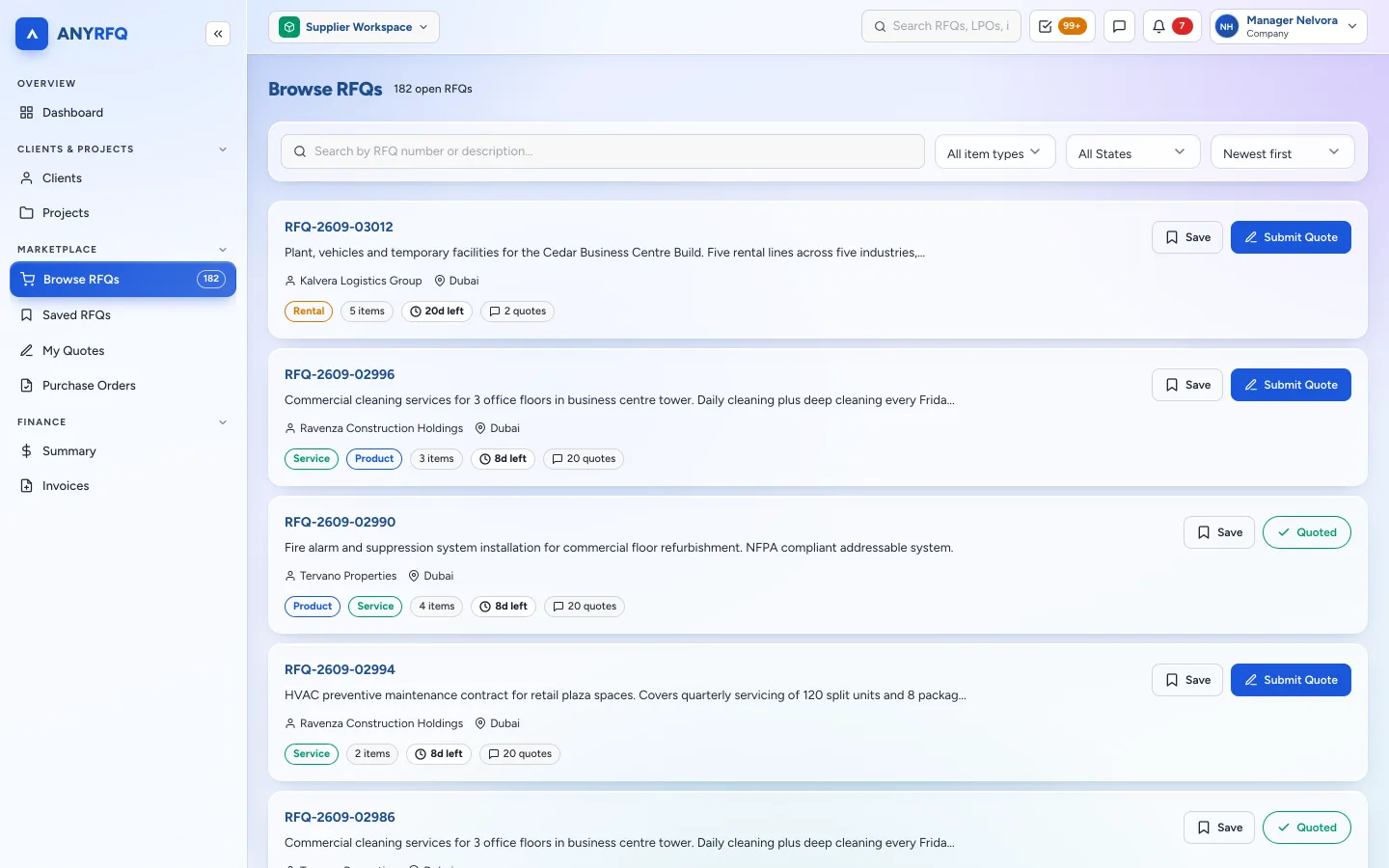
Everything you need to find work, win it and get paid sits in one supplier workspace.
-
1
Register free
Sign up with your UAE trade licence. Once verified you get the verified badge.
Free forever to quote -
2
Set your capabilities
Pick the industries and keywords you supply. They drive what you are matched to.
Industries and keywords -
3
Get matched RFQs
Matching RFQs reach you by email and in-app, and the full marketplace is open to browse.
New RFQ alert
-
4
Quote line by line
Price the lines you can supply. Totals, delivery charges and validity are worked out for you.
Auto totals -
5
Attach documents
Upload the certificates, datasheets and documents the buyer asked for.
3 of 3 attached -
6
Track and win
Follow every quote from submitted to shortlisted to awarded, including partial awards.
Awarded 2 of 4 lines
-
7
Sign the LPO online
Review the buyer's LPO and accept it in the platform, or request an amendment.
LPO accepted -
8
Log deliveries
Record full or partial deliveries. The buyer confirms them on their side.
DEL-2026-0004 -
9
Invoice and get paid
Raise a tax invoice from the LPO and get notified when payment is recorded.
Payment received
Everything you need to sell to UAE buyers.
Quoting is free for every supplier, and every feature below comes with your account.
Get found
Be in front of the right buyers
- Free registration Join with your trade licence. No fees to quote.
- Supply capabilities Industries and keywords you supply drive your matches.
- RFQ alerts Matching RFQs by email and in-app, as soon as they post.
- Open marketplace Every open RFQ, with filters by type, emirate and more.
- Save RFQs Shortlist the RFQs you want to come back to.
- Verified badge and ratings Show buyers you are verified and build your rating.
Quote and win
Clear, complete, comparable quotes
- Quote line by line Price only the lines you can supply.
- Automatic totals Subtotals, delivery charges and grand totals worked out for you.
- Your commercial terms Set validity, delivery days and payment terms on every quote.
- Required documents Attach exactly what the buyer asked for.
- Track quote status See every quote from submitted to awarded or declined.
- Award notifications Know the moment you win, including partial awards.
Deliver and get paid
From LPO to payment
- Sign LPOs online Accept the buyer's LPO in the platform.
- Request amendments Ask for a change to quantity, price or terms before you sign.
- Log deliveries Full or partial deliveries, confirmed by the buyer.
- Invoice from the LPO Raise a tax invoice without retyping a single line.
- Payment notifications Get told as soon as the buyer records a payment.
- Financial summary Receivables, paid totals and recent payments at a glance.
Work as a team
Your whole sales desk on one account
- Team accounts Add colleagues to quote, follow up and manage orders.
- Roles and permissions Decide who can quote, edit quotes or sign LPOs.
- Messages Clarify requirements with the buyer on the RFQ itself.
- Buy as well as sell The same company account can post its own RFQs too.
A workspace built for suppliers.
Real ANYRFQ screens, shown with sample data.
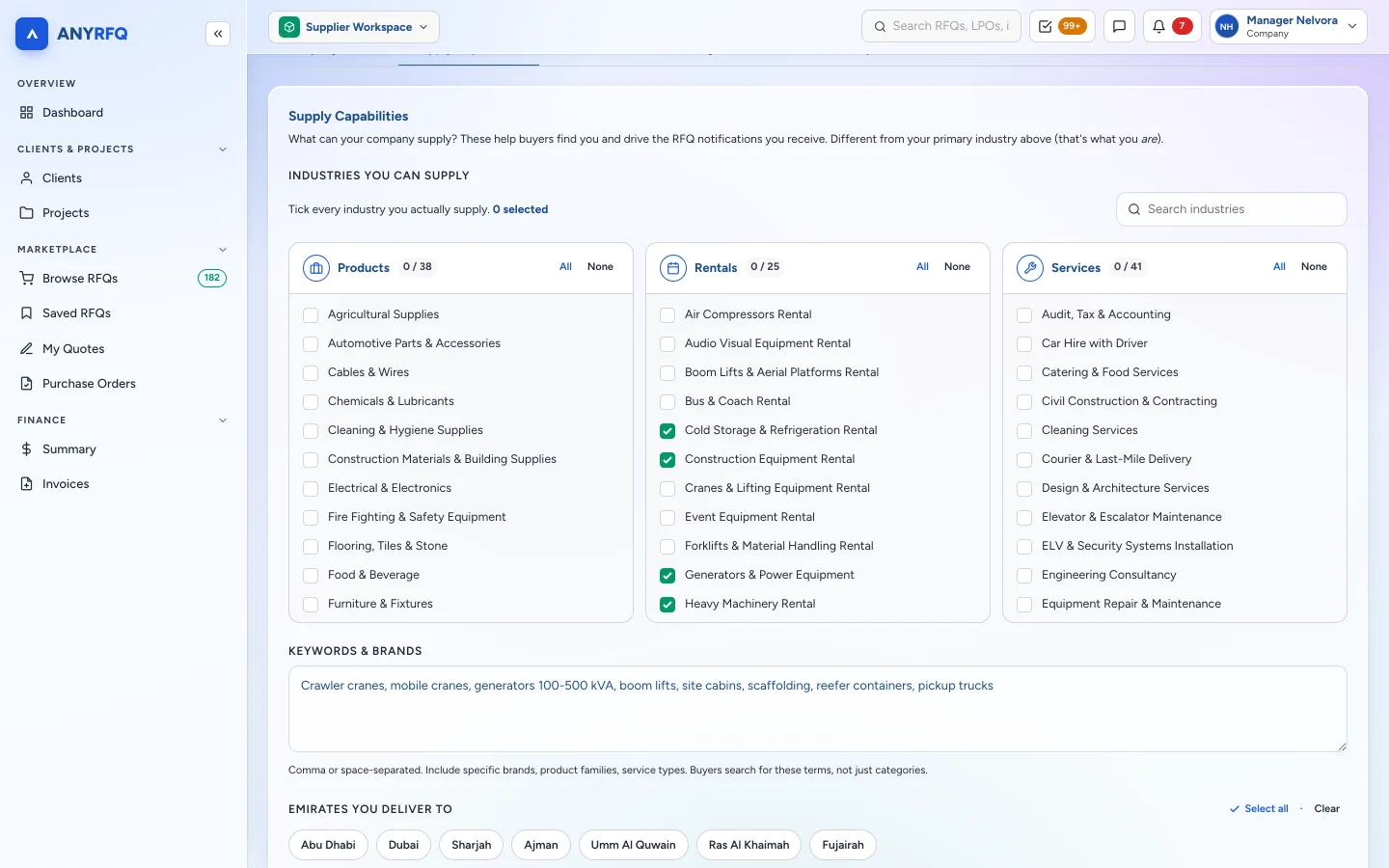
Tell us what you supply. We bring you the RFQs.
Tick the industries you supply and add your keywords. ANYRFQ uses them to match you to new RFQs and alert you by email and in-app.
- Supply more than one industry
- Matches arrive the moment an RFQ is posted
- Change your capabilities whenever your range grows
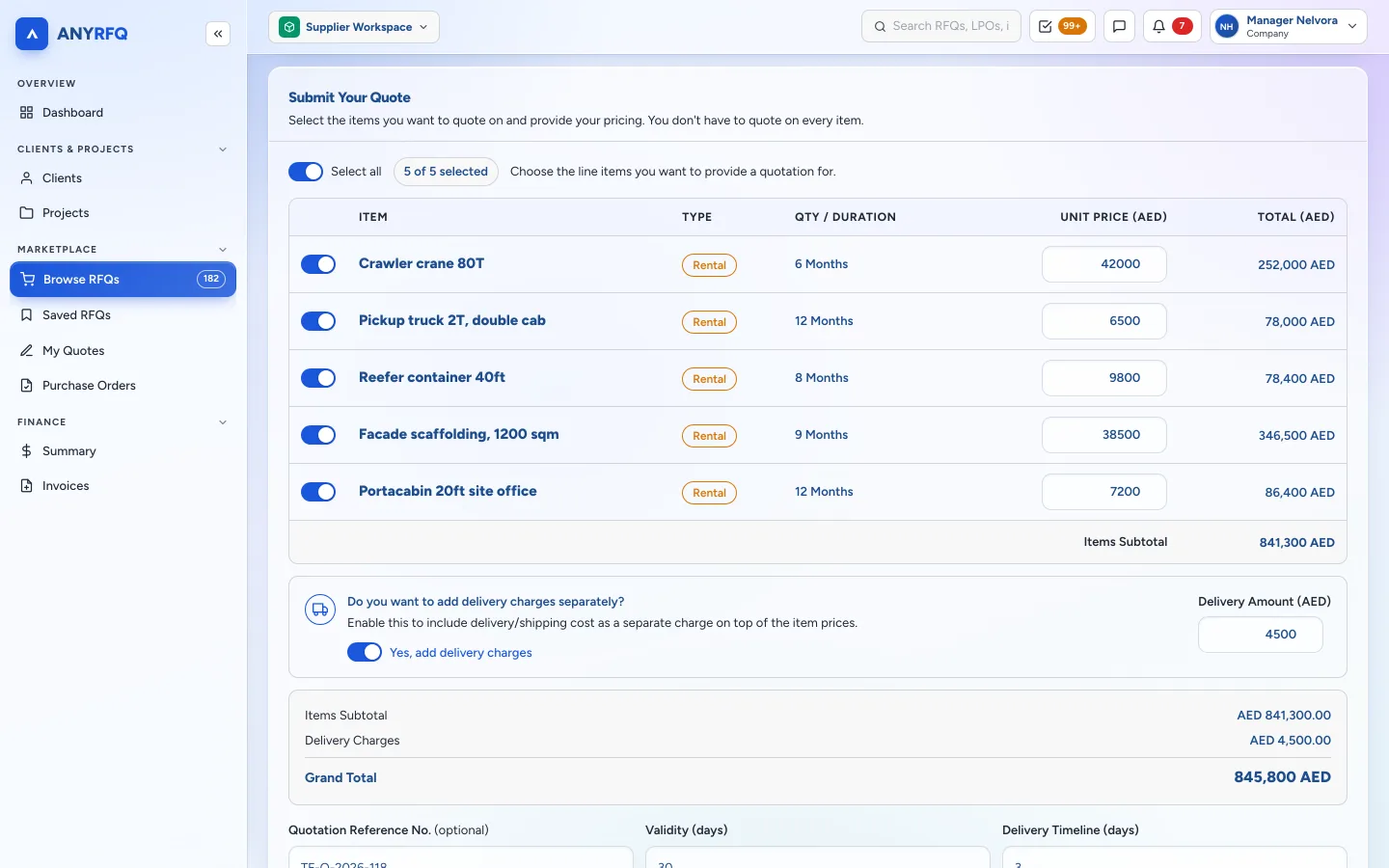
Quote line by line, totals done for you.
Choose the lines you can supply, enter your unit prices and ANYRFQ works out the subtotal, delivery charges and grand total.
- Add delivery charges separately if you need to
- Set validity, delivery timeline and payment terms
- Attach the documents the buyer asked for
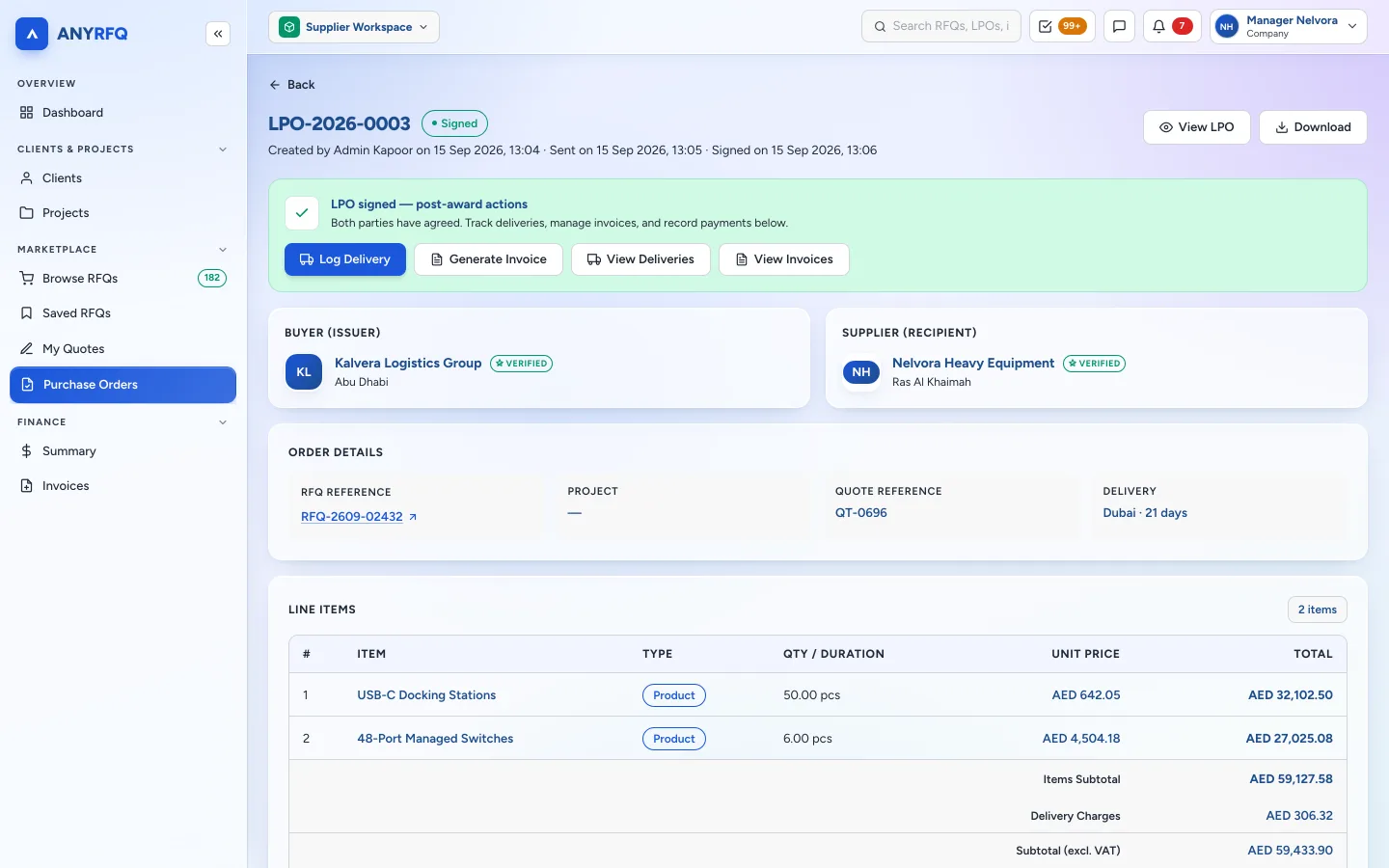
Sign the LPO, deliver, invoice. Done.
Once you win, the LPO lands in your workspace. Accept it online, log your deliveries and raise the tax invoice from the same screen.
- Request an amendment before you sign
- Deliveries are confirmed by the buyer
- Payment notifications and a financial summary
Before ANYRFQ vs with ANYRFQ.
Have questions? Read the supplier FAQs →
Start quoting on real UAE RFQs.
Register free, set your capabilities and let matching RFQs find you.